Your staff will actually love using this
We designed the POS for busy Saturday afternoons. Large buttons, clear status indicators, instant feedback. No training manual required.
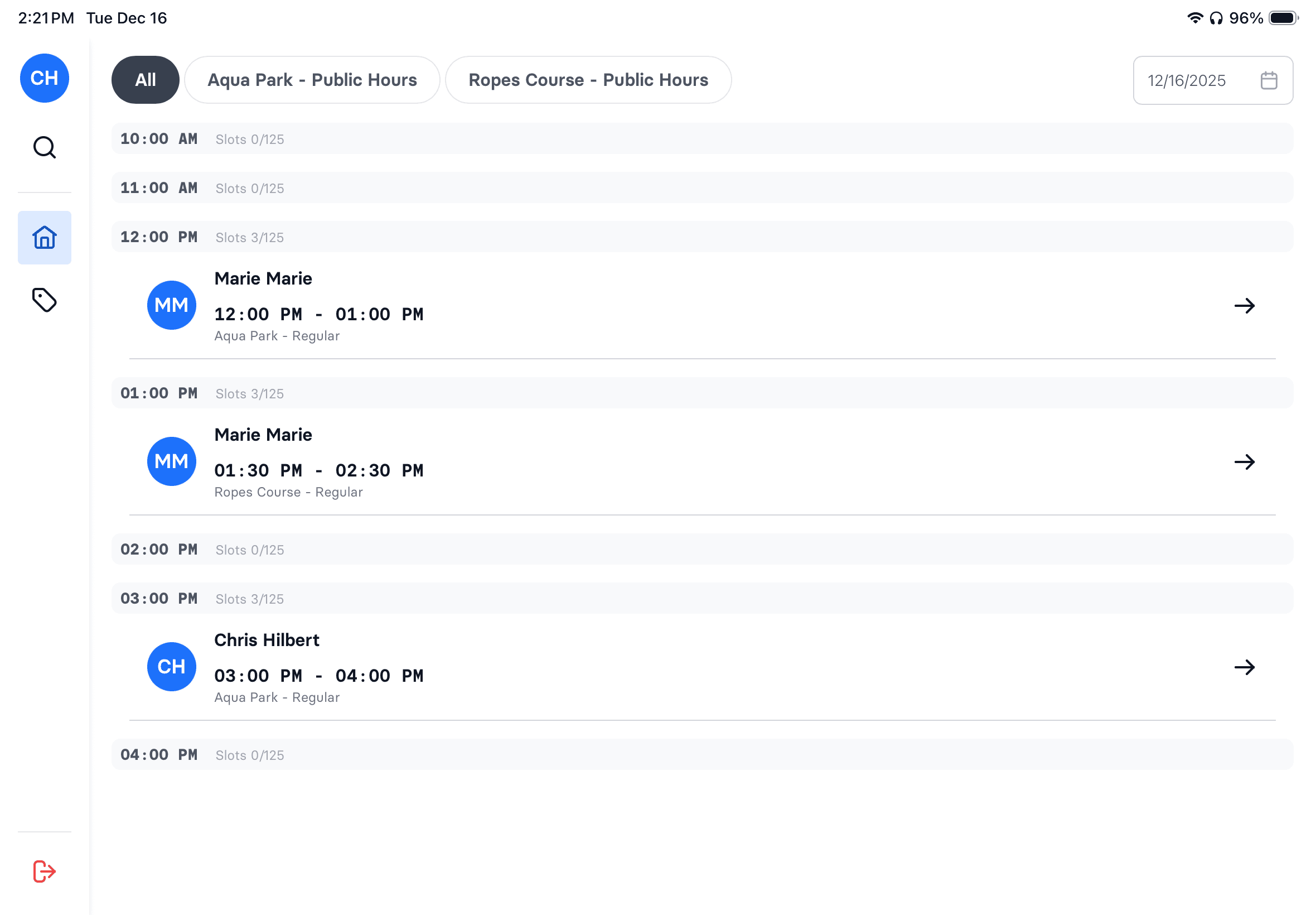
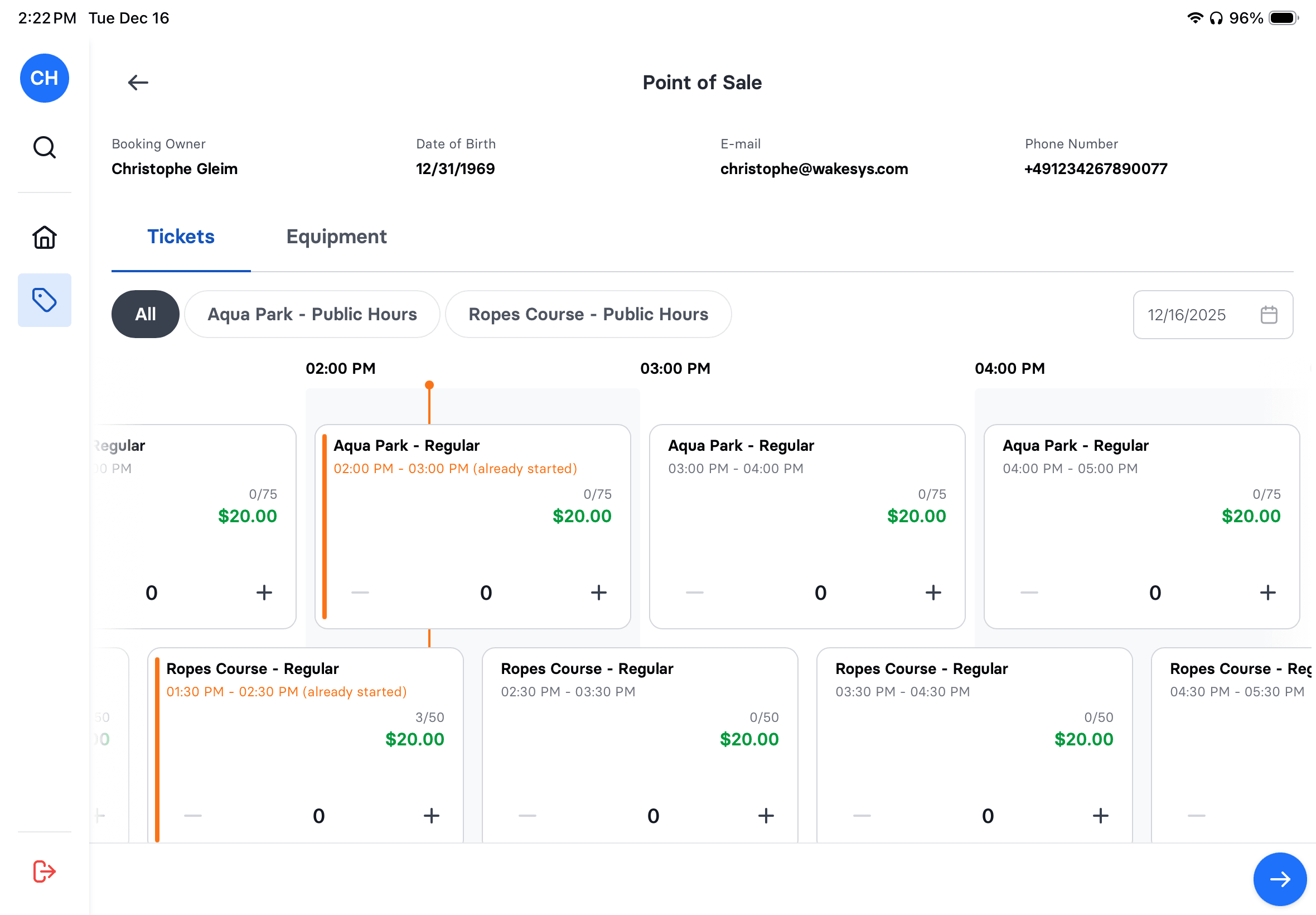
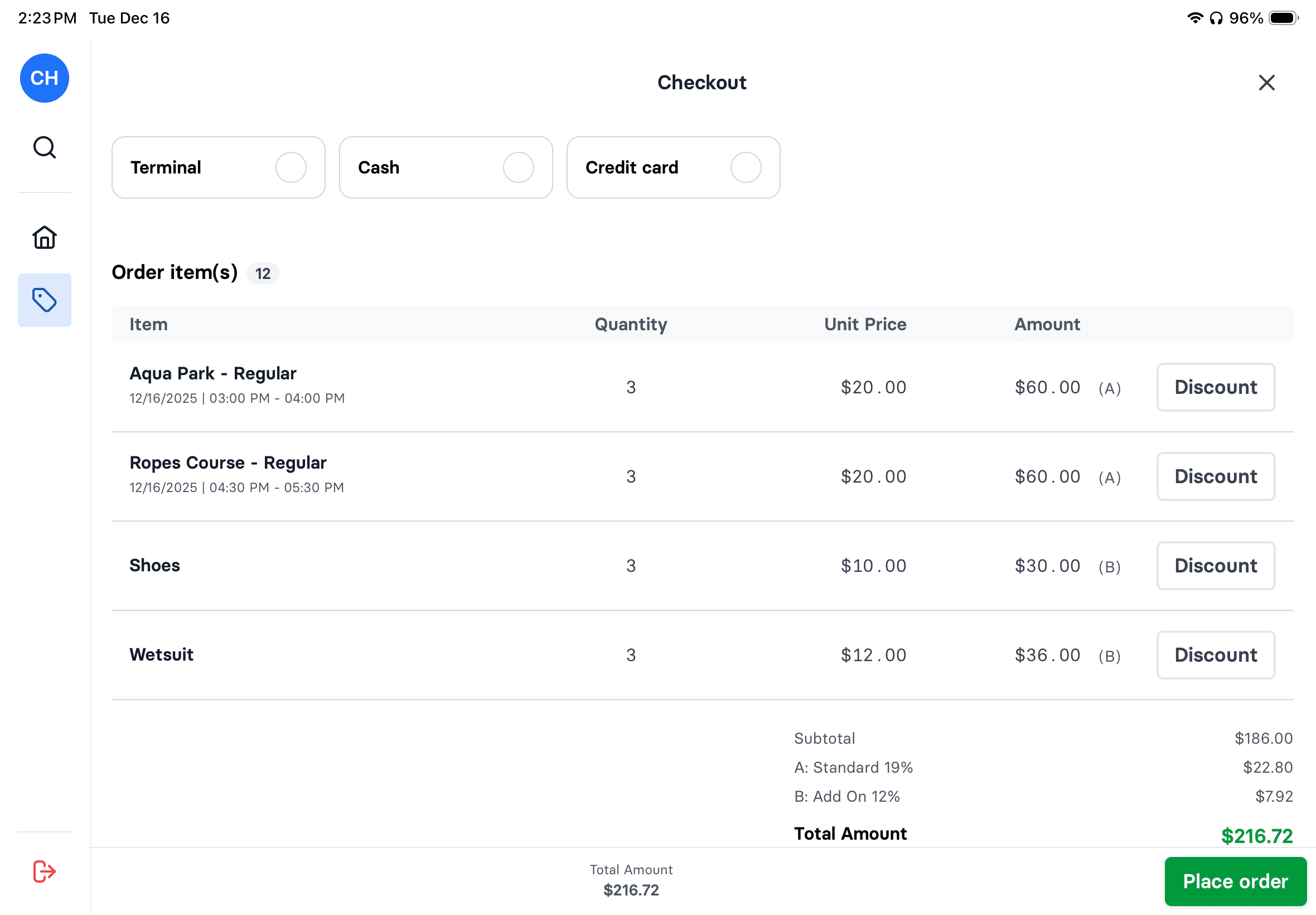
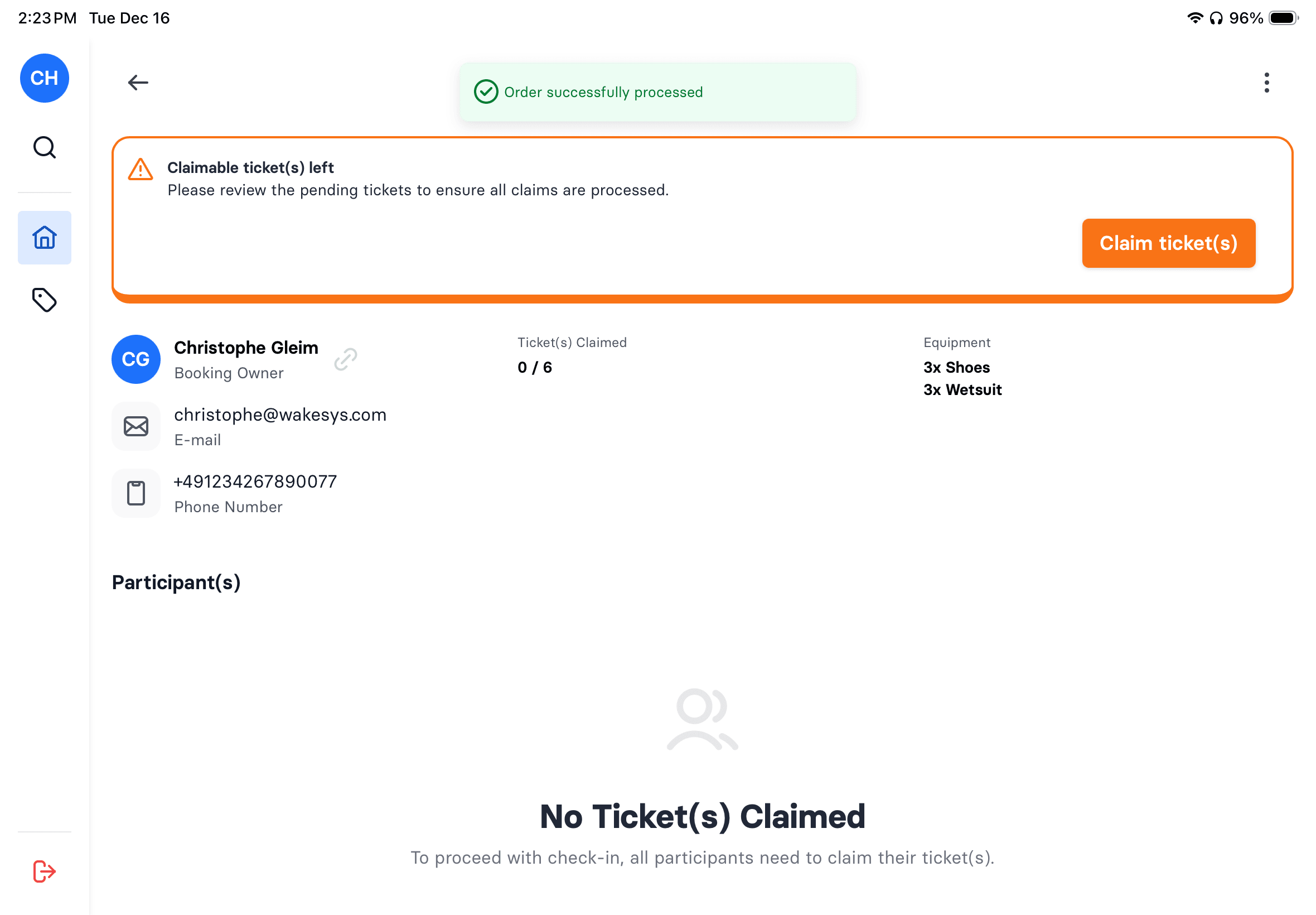
Today's Manifest
See all bookings at a glance. Filter by time slot, activity, or status.
One-Tap Check-In
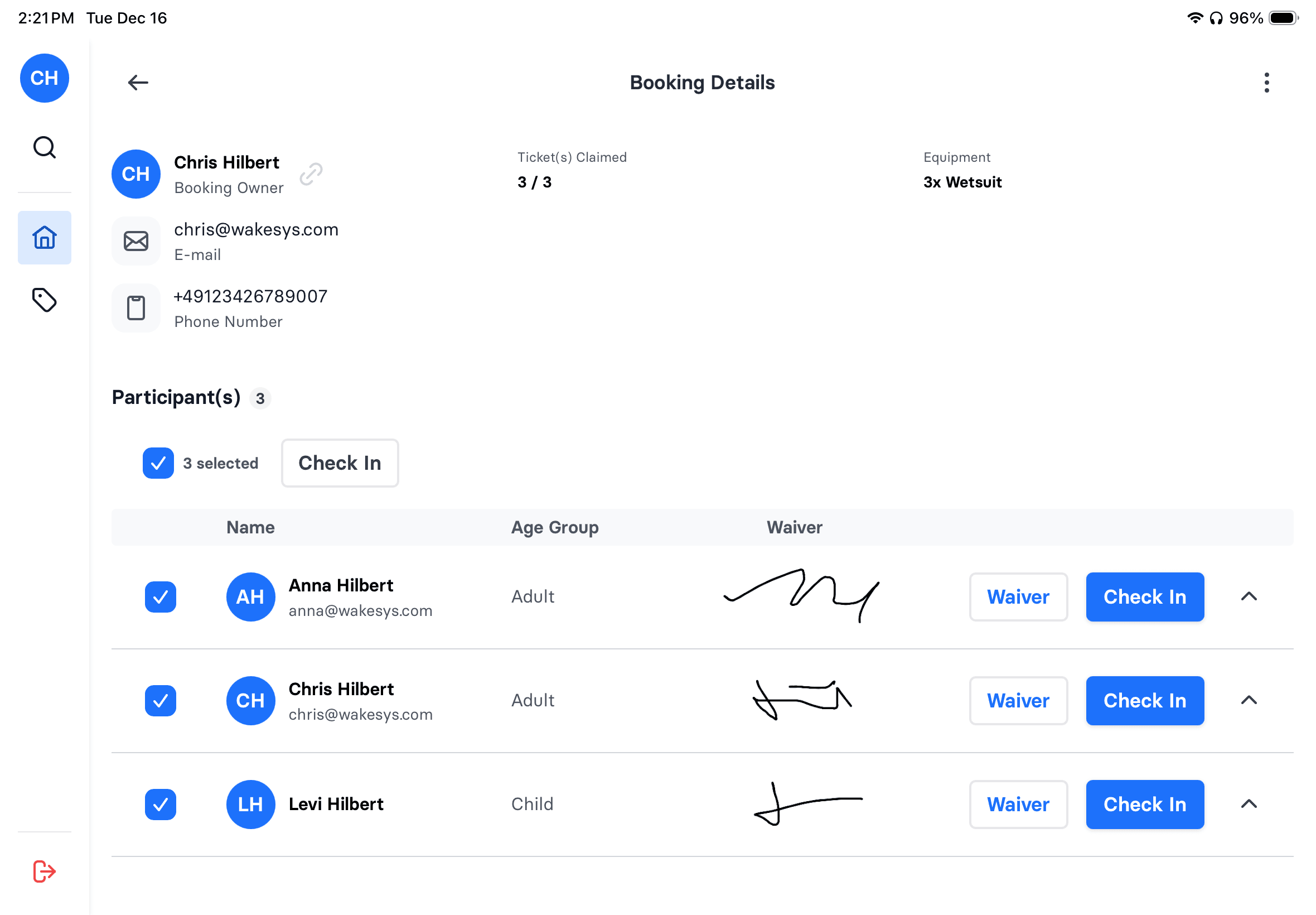
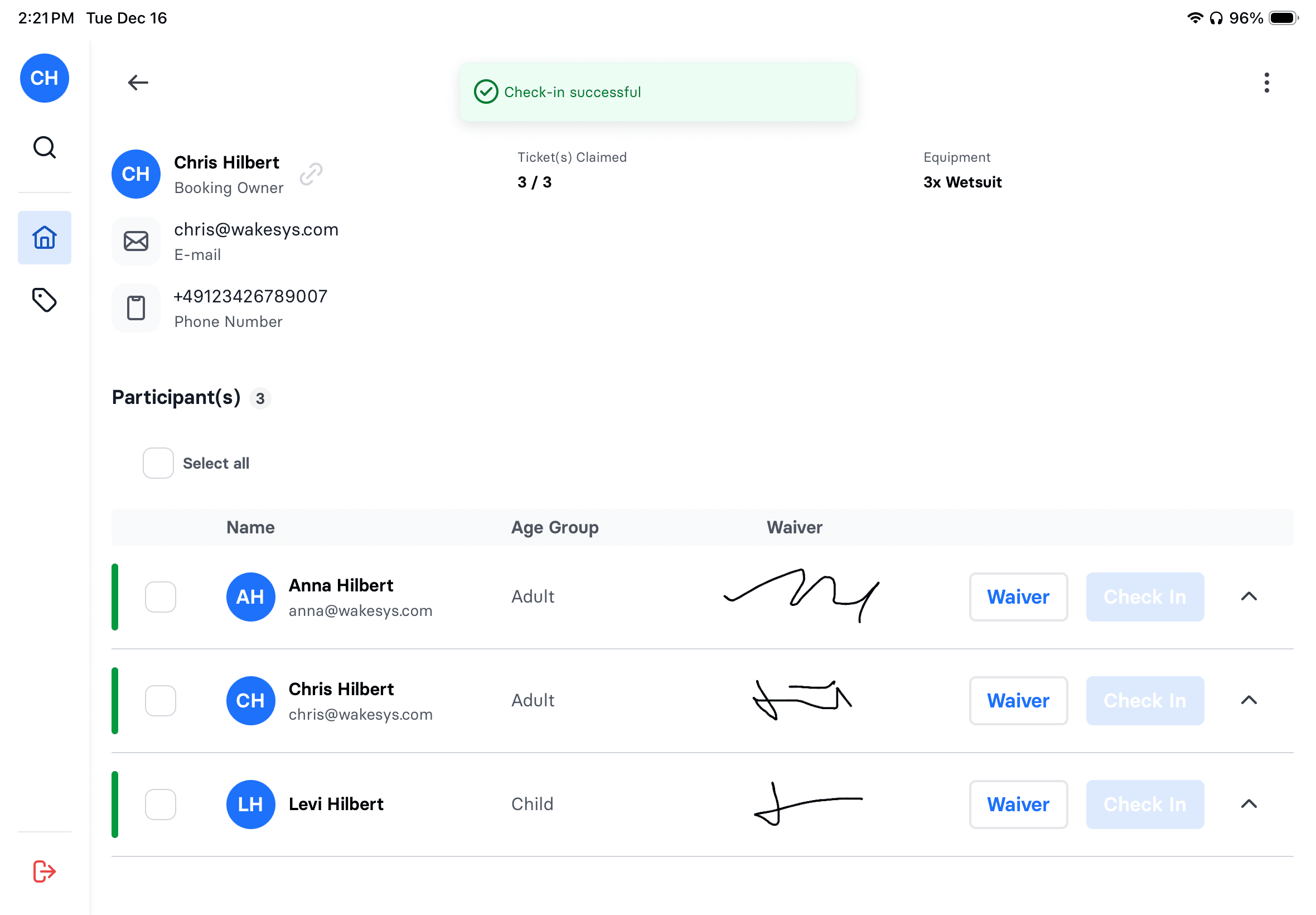
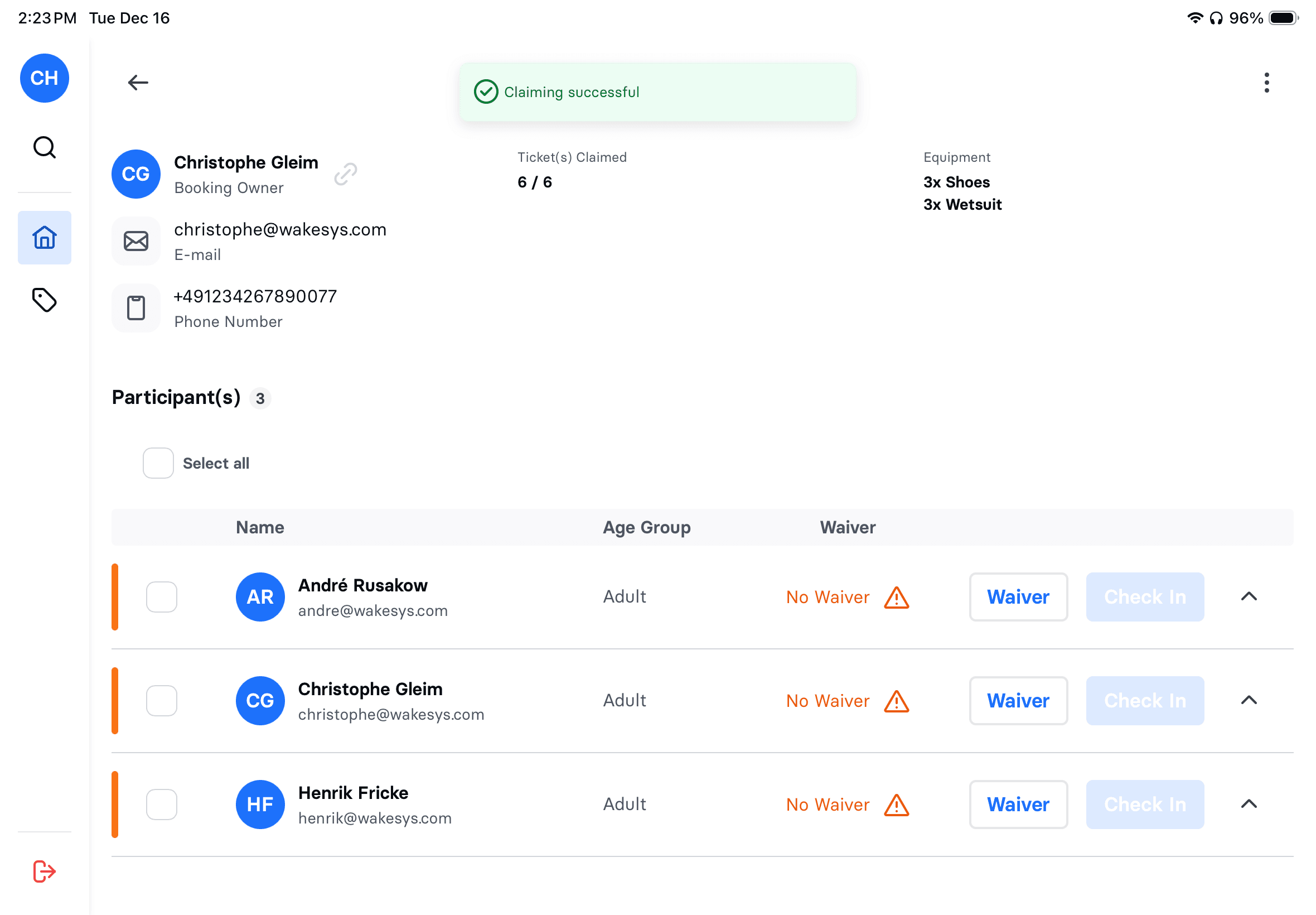
Green = ready. Tap to check in. Bulk check-in entire families.
Walk-In Sales
Sell tickets at the counter. Cash, card, or Stripe Terminal.
On-Site Waivers
Walk-ins sign waivers on your tablet. No separate kiosk needed.
Customer Search
Find any guest instantly. See history, waivers, past bookings.
Real-Time Updates
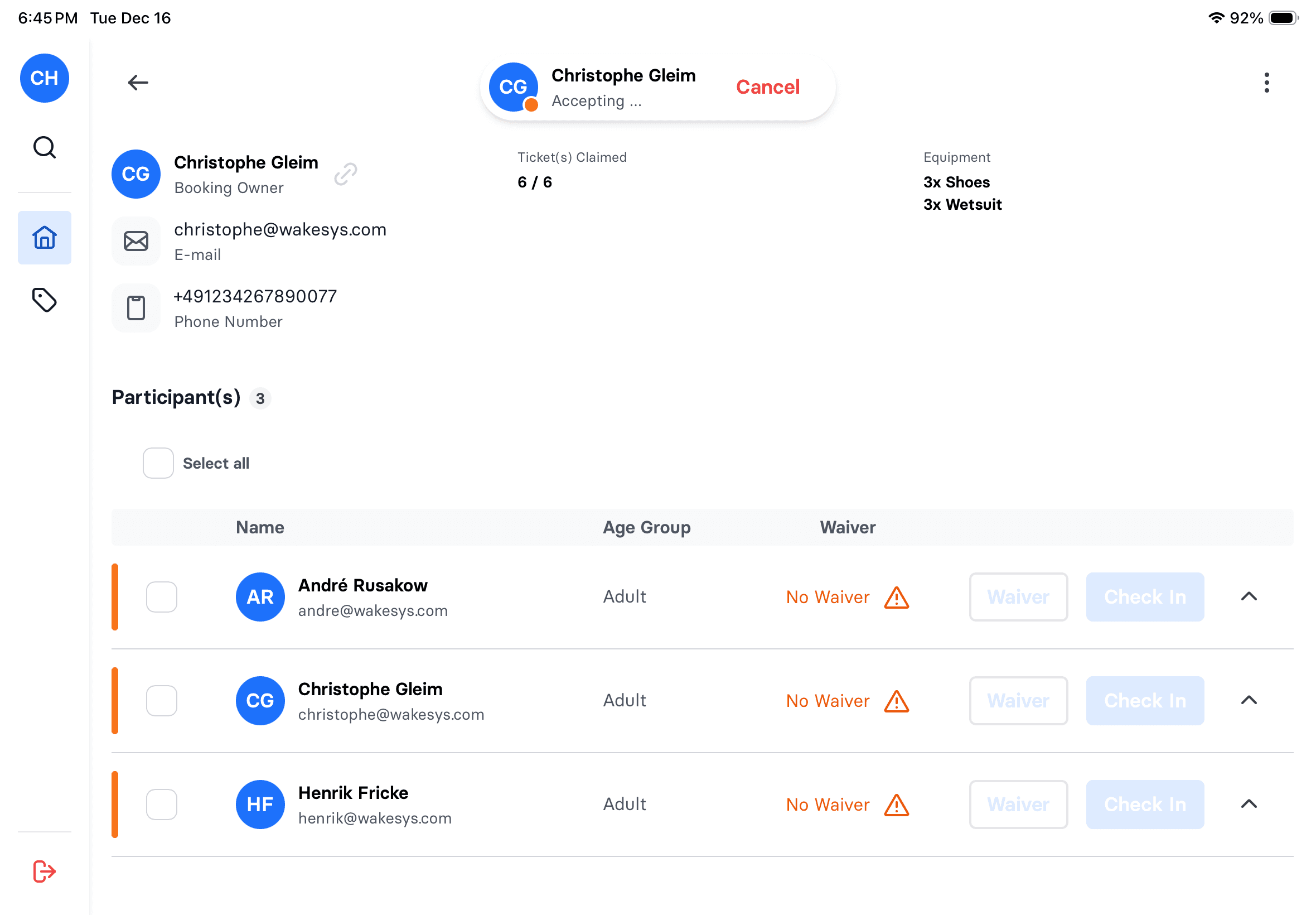
Claims appear live. No refresh needed. Always current.
Waiver Status
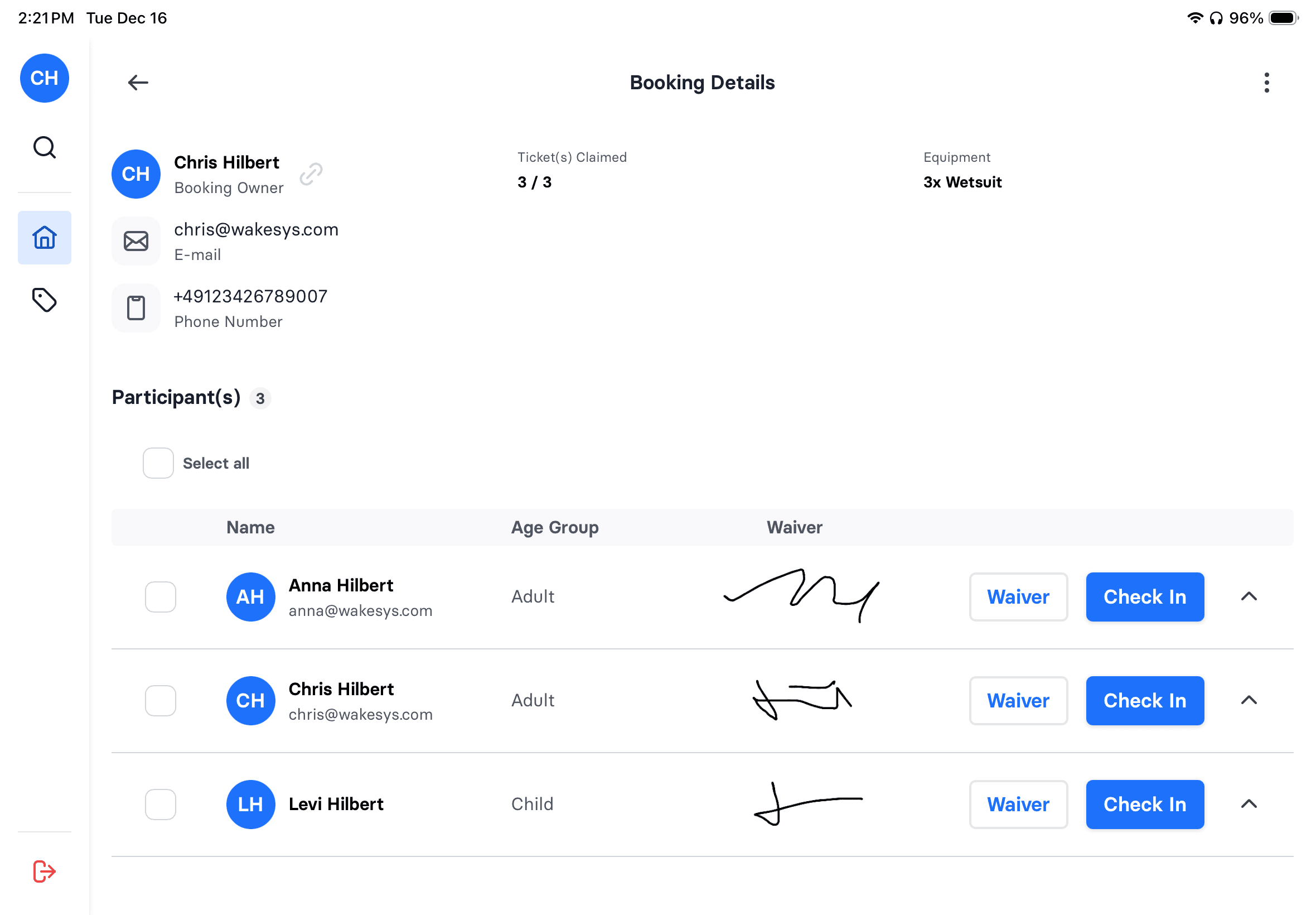
See signatures inline. Know who's ready at a glance.
Flexible Refunds
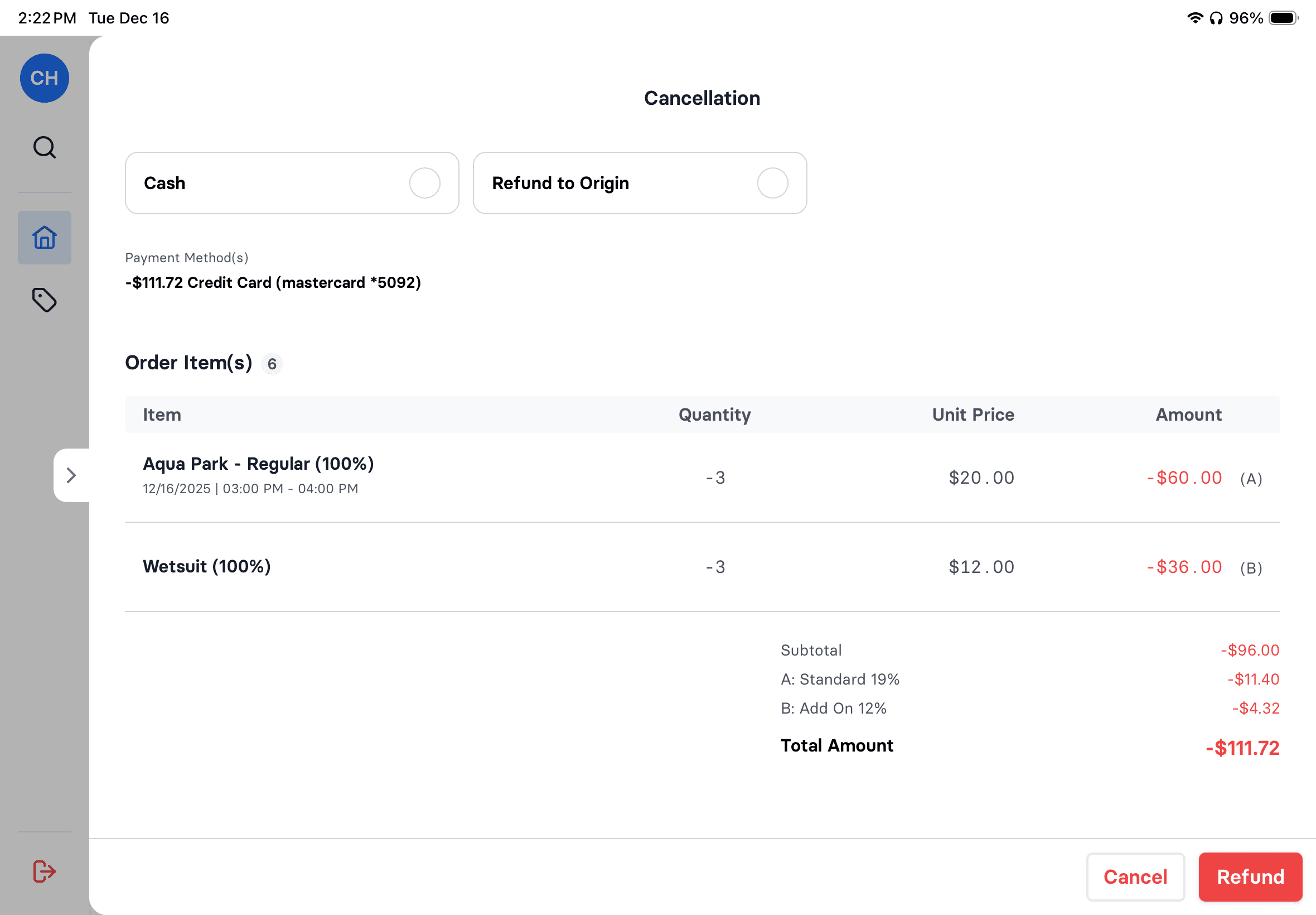
Partial or full refunds. Weather cancellations made easy.
Green means go
Your staff sees every booking with waiver signatures visible inline. Green bar means everyone's signed and ready. One tap to check in. Bulk check-in for families.
- See waiver signatures at a glance
- Green indicator = all waivers signed
- Select all → bulk check-in
- Success toast confirms completion

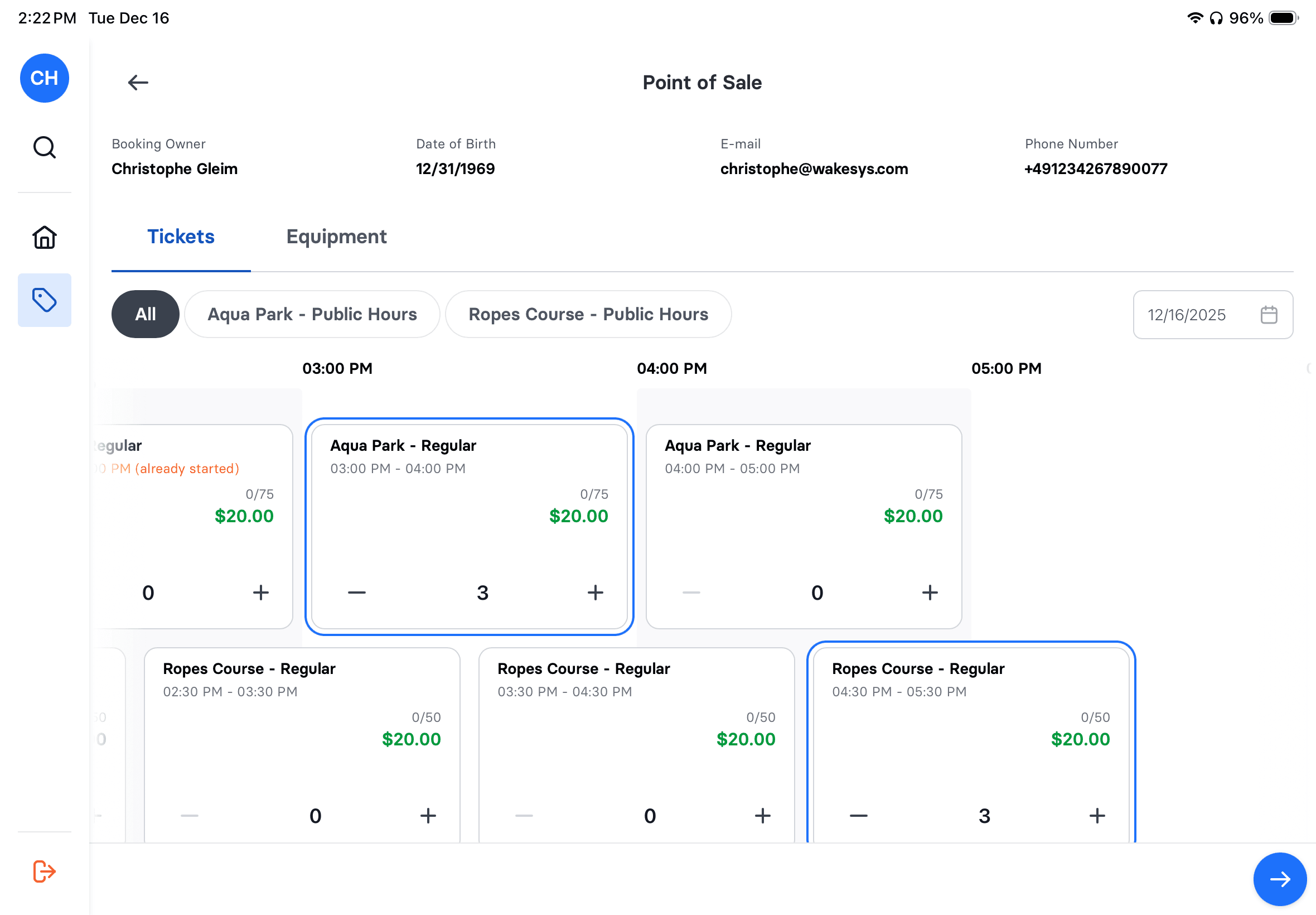
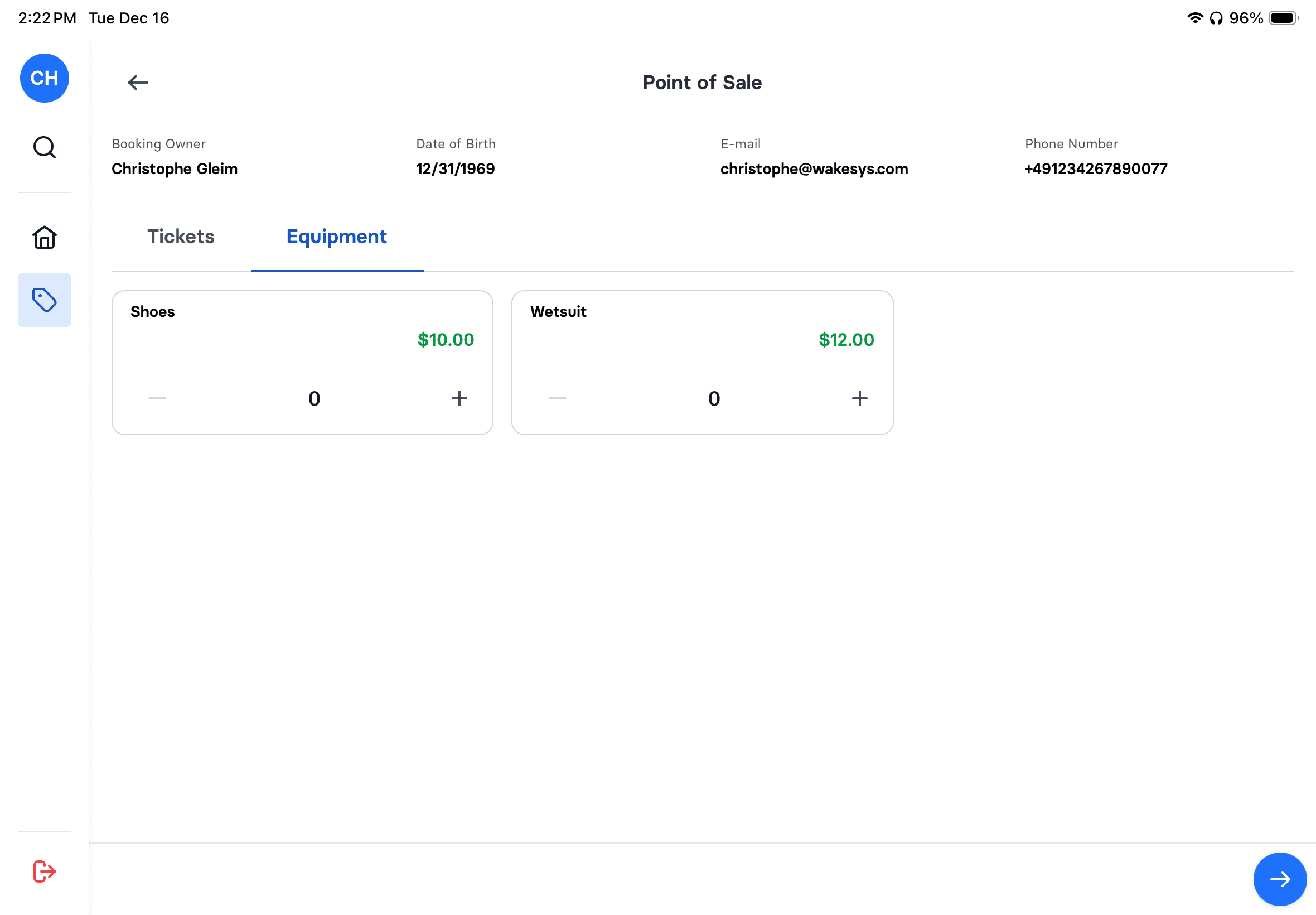

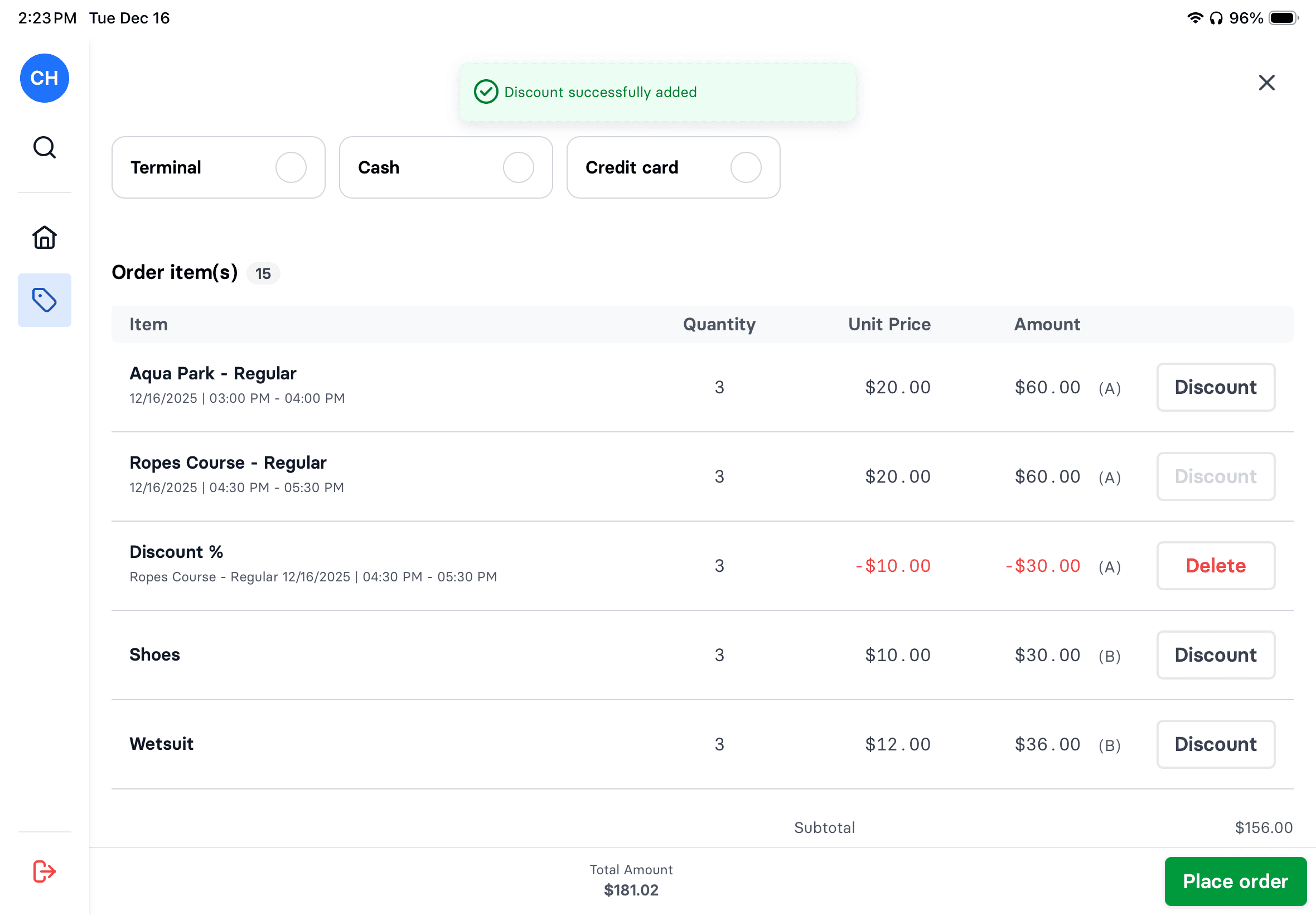
Sell tickets at the counter
Guest shows up without a booking? No problem. Select time slot, add equipment, take payment. Cash, card, or Stripe Terminal. Waiver signing built right in.
- Visual time slot grid with availability
- Add equipment rentals in seconds
- Apply discounts with one tap
- Multiple payment options
Refunds without the headache
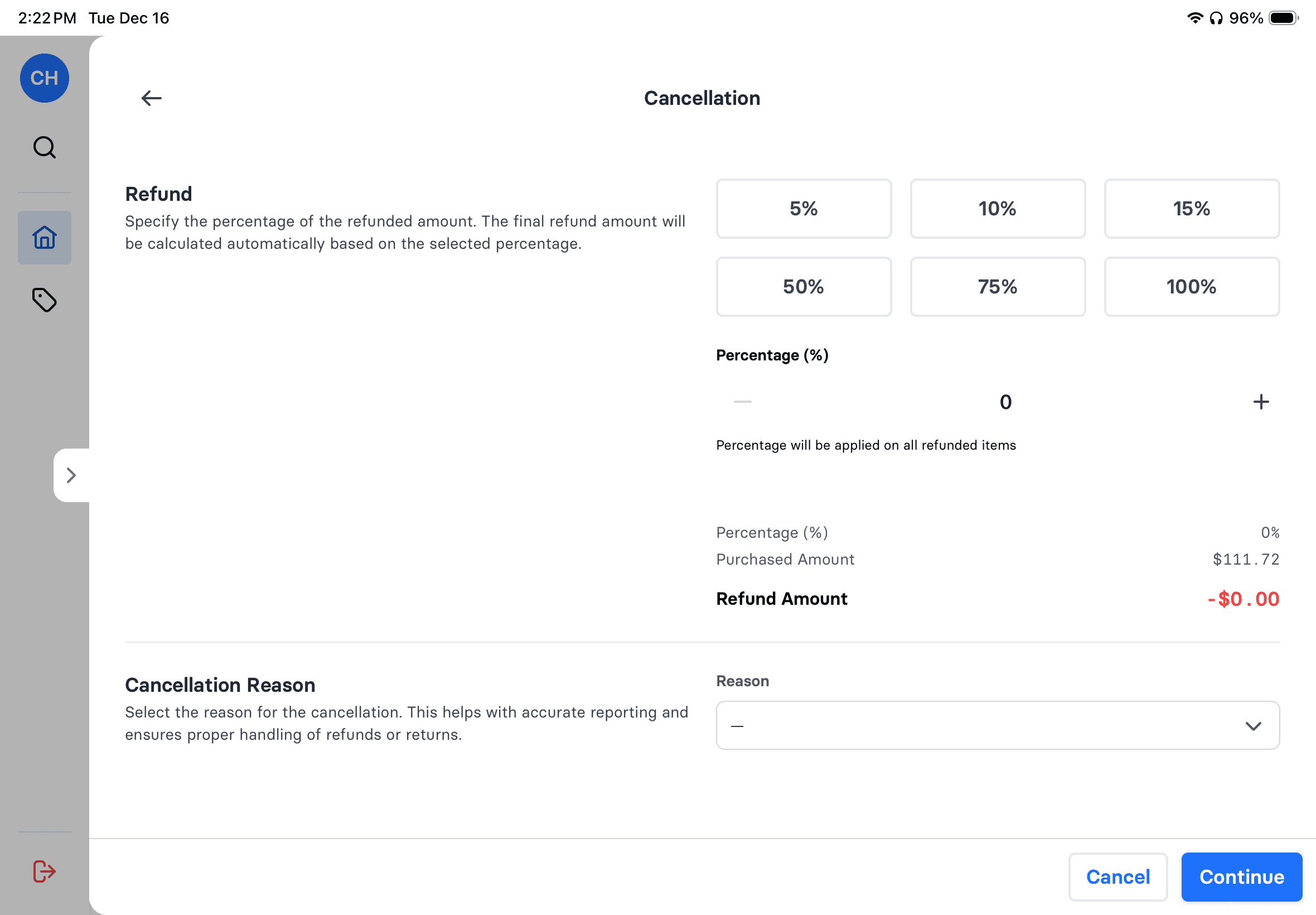
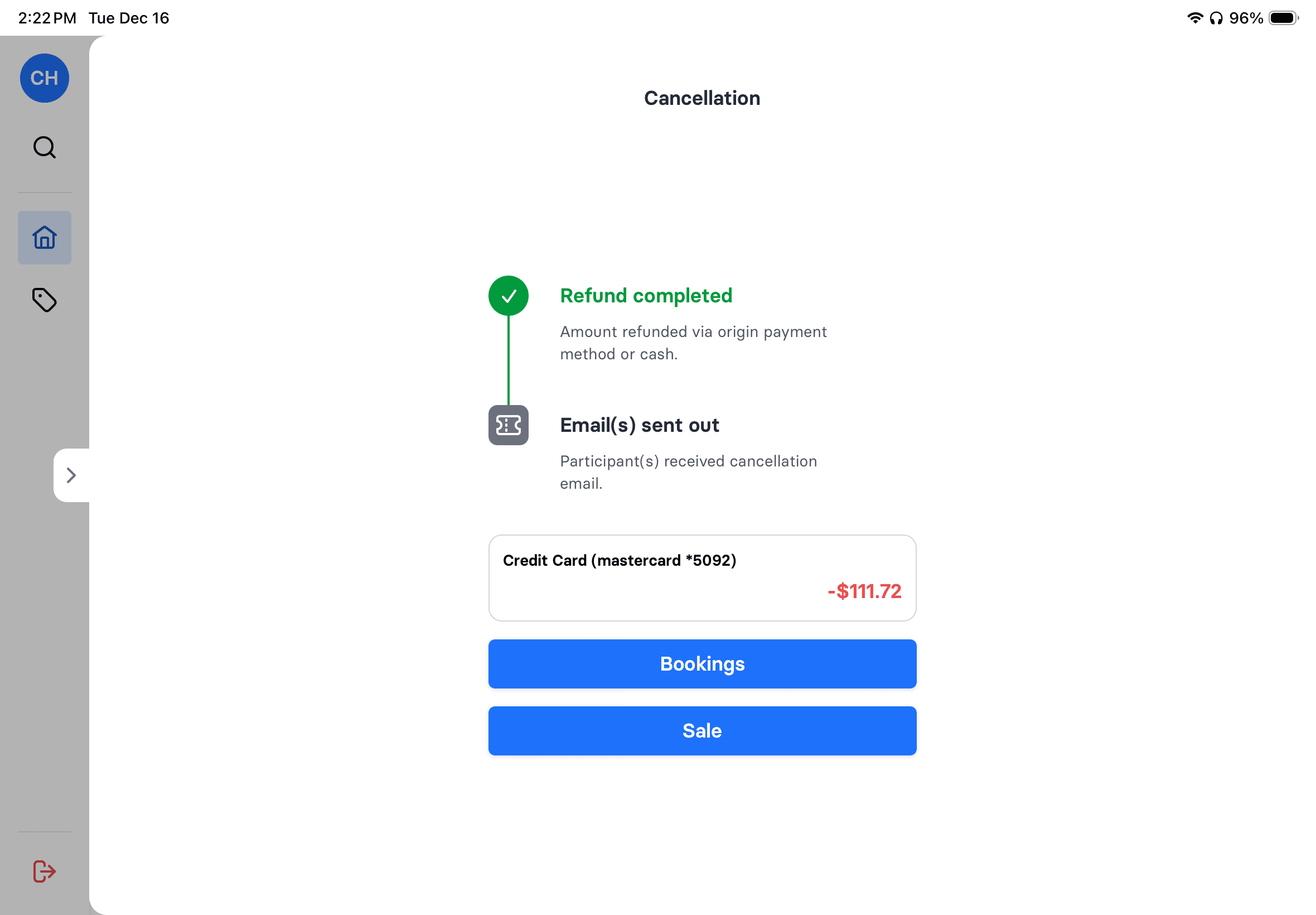
Weather cancellation? Select items, choose percentage (5% to 100%), pick reason. Refund goes back to original payment method or cash. Email sent automatically.
- Select specific items to cancel
- Flexible percentage refunds
- Reason tracking for reporting
- Refund to original payment or cash
- Automatic cancellation emails

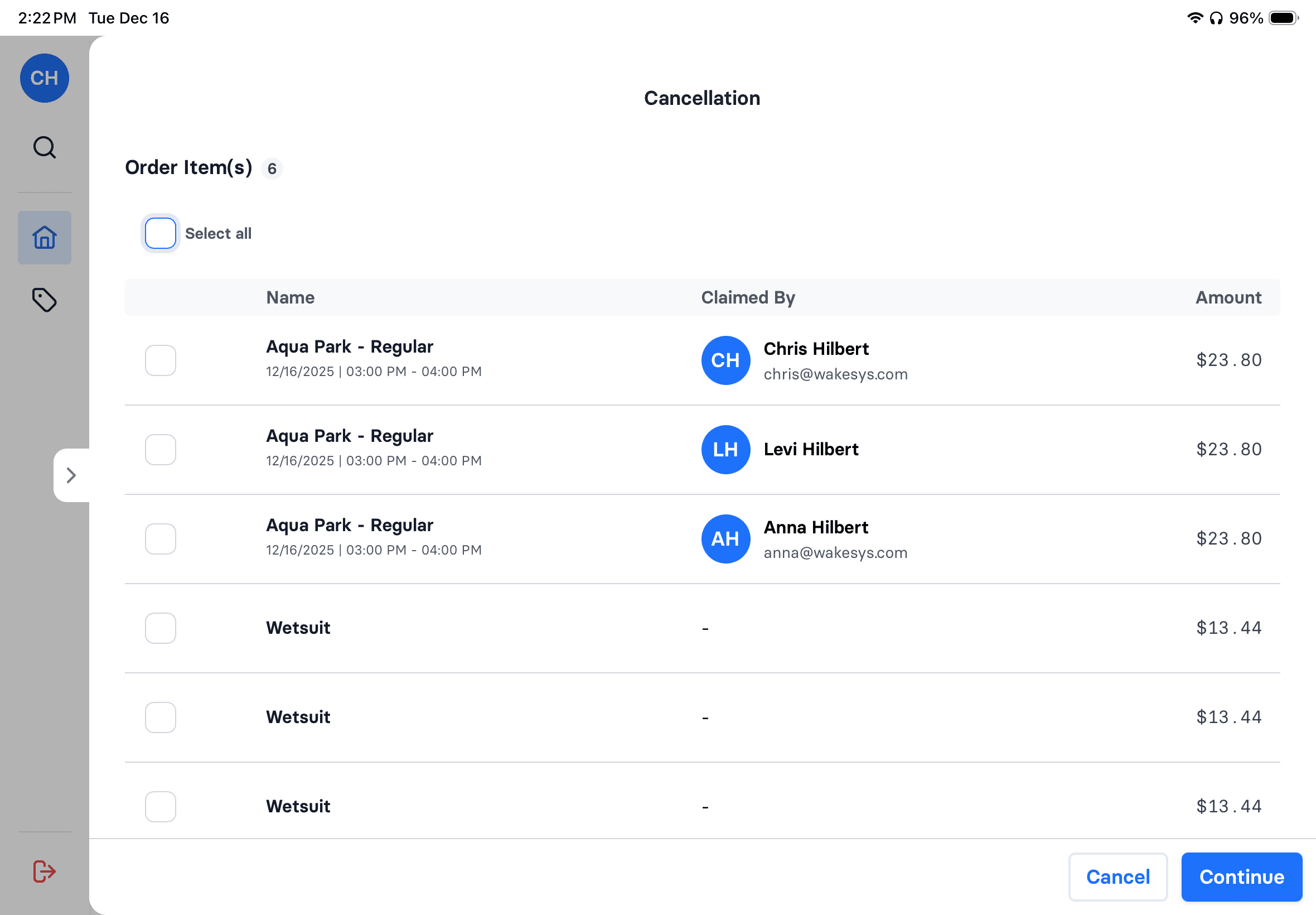

Cash Register

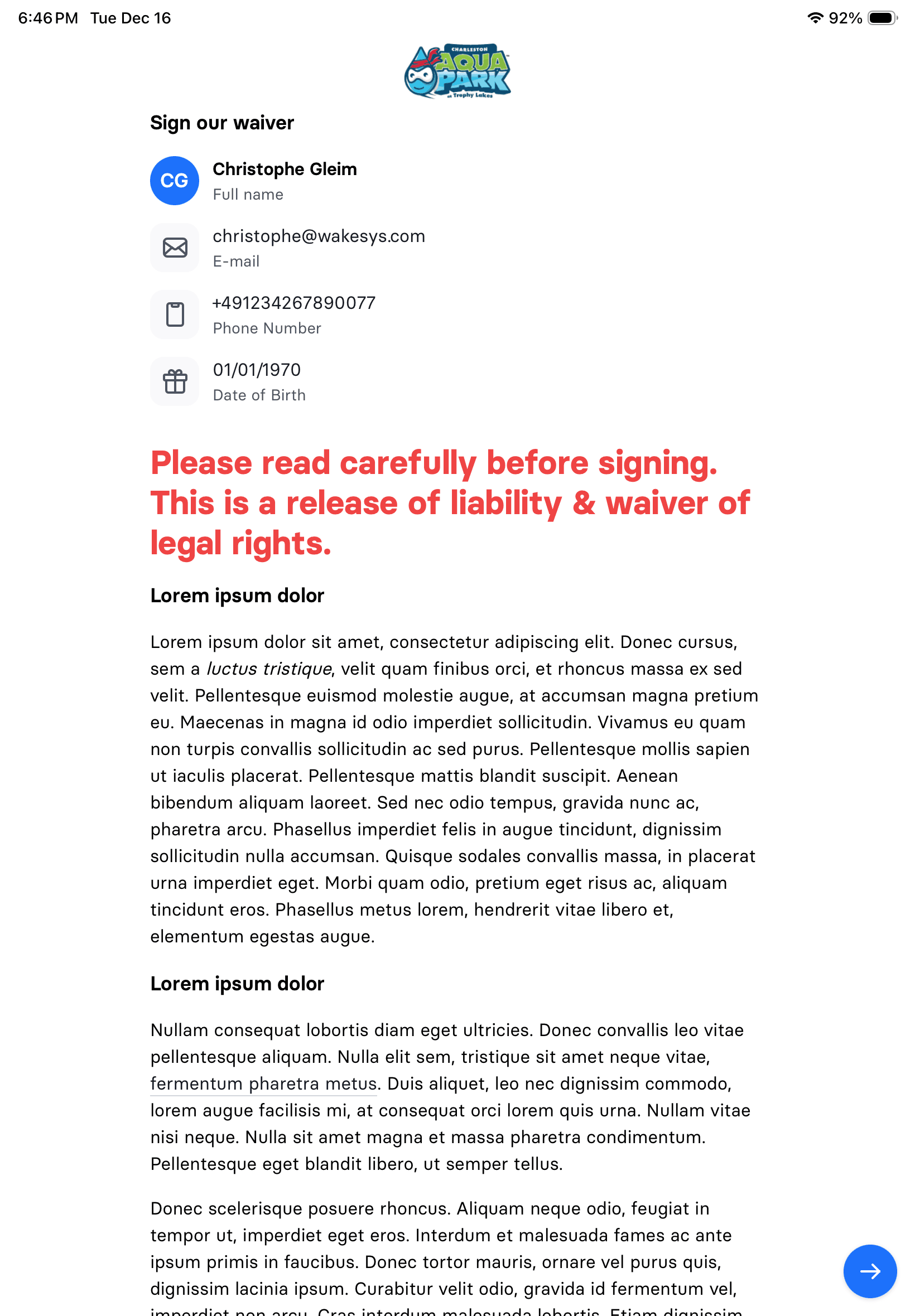
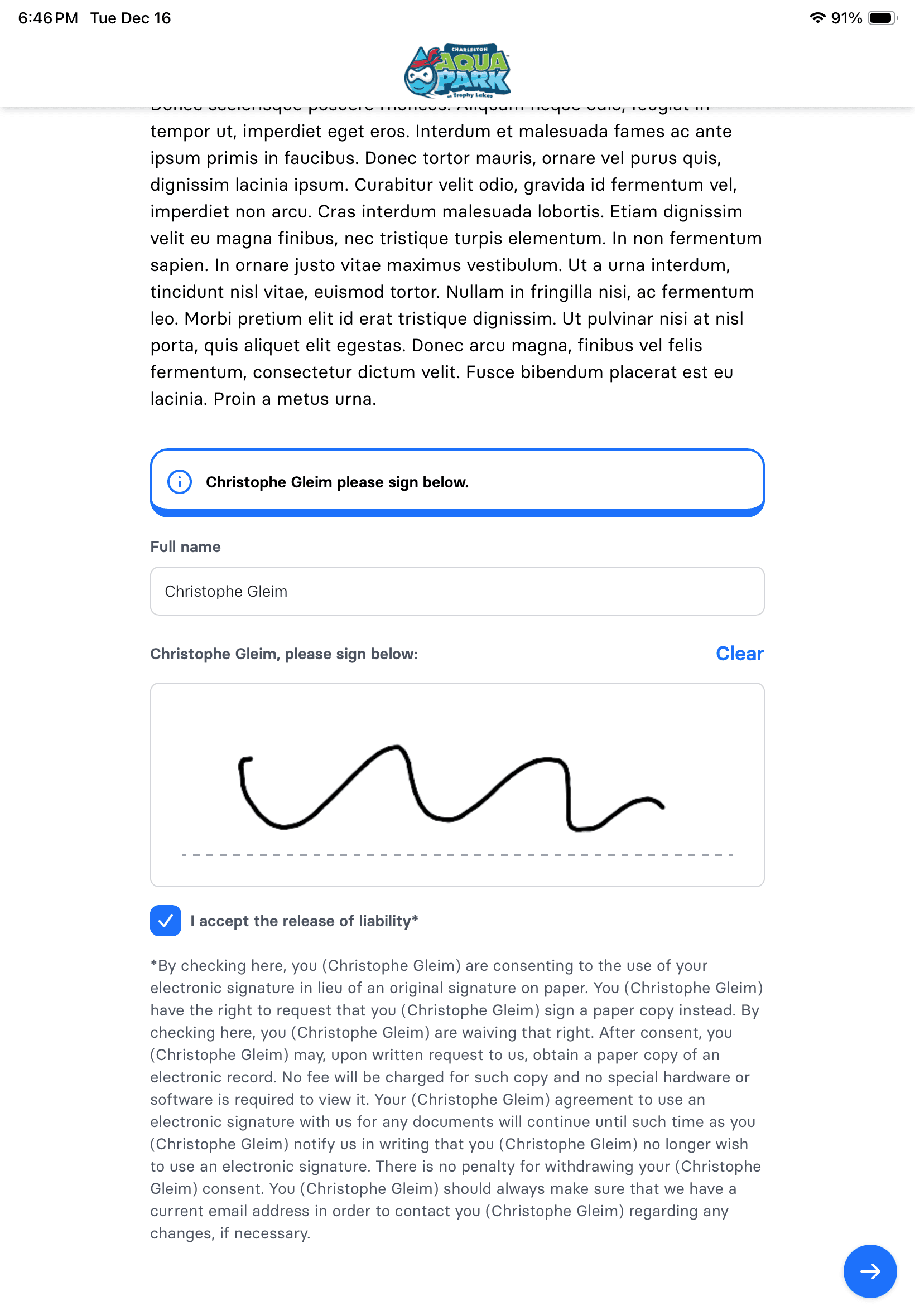
Waiver iPad
Sign right at the counter
Hand the customer iPad over, they sign, your cash register updates automatically. No paper. No clipboards. No separate waiver kiosk.
- Dedicated customer iPad for signing
- Cash register updates in real-time
- No back-and-forth with devices
- Ready for check-in instantly